Let’s face it: managing a manufacturing business today is like conducting an orchestra where half the musicians are in different rooms. You have raw materials coming in, finished goods going out, work orders piling up, and maintenance schedules that always seem to clash with peak production times. If you are still relying on disjointed spreadsheets or legacy software that looks like it was built in the 90s, you are likely bleeding efficiency.
This is where Odoo comes in. It isn't just another software; it’s a complete Odoo manufacturing solution designed to bring harmony to that chaos. Whether you are a small workshop or a large-scale factory, the right ERP strategies can turn your production line into a well-oiled machine.
In this guide, we will explore how Odoo is reshaping the industry, the essential modules you need, and how ERP Consulting 24 can help you navigate the transition.
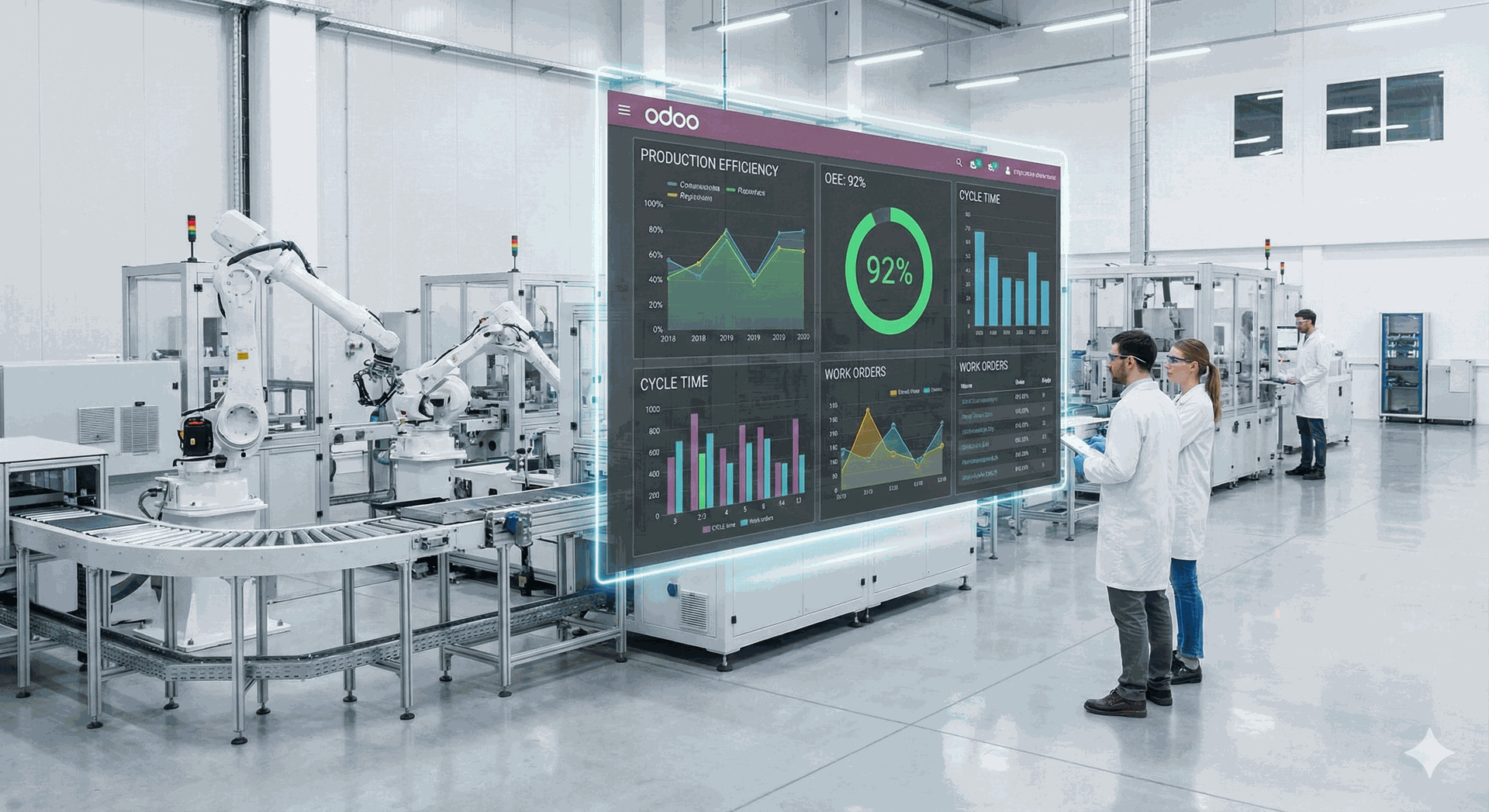
A Brief About - How Odoo for the Manufacturing Industry Works?
At its core, Odoo operates on a principle that many traditional ERPs miss: total integration. In many systems, the manufacturing software is a silo. It knows about production, but it doesn't talk to inventory or accounting.
Odoo is different. It functions as a central nervous system. When a sales order is confirmed in the Sales module, Odoo automatically checks your inventory. If you don't have the stock, it triggers a Manufacturing Order (MO) in the Odoo MRP (Manufacturing Resource Planning) app. If you lack the raw materials, it automatically drafts a Purchase Order for your suppliers.
It creates a seamless flow of data:
- Demand Generation: Sales or forecasts trigger demand.
- Resource Planning: Odoo calculates what materials and labor are needed.
- Execution: Work centers receive digital instructions.
- Completion: Inventory is updated, and costs are posted to accounting instantly.
Odoo’s Role in Transforming the Manufacturing Industry
The manufacturing industry is currently undergoing a digital shift often called Industry 4.0, and Odoo is a major catalyst in this transformation.
Real-Time Visibility Gone are the days of waiting for end-of-week reports to see if you hit your targets. Odoo provides real-time tracking of every work order. You can see exactly which stage a product is in, how much scrap was generated, and the precise labor cost associated with it.
Automation of Routine Tasks Odoo automates the "boring" stuff so your engineers and operators can focus on quality. From automatically ordering low-stock components to scheduling maintenance based on machine usage, automation reduces the human error that leads to costly downtime.
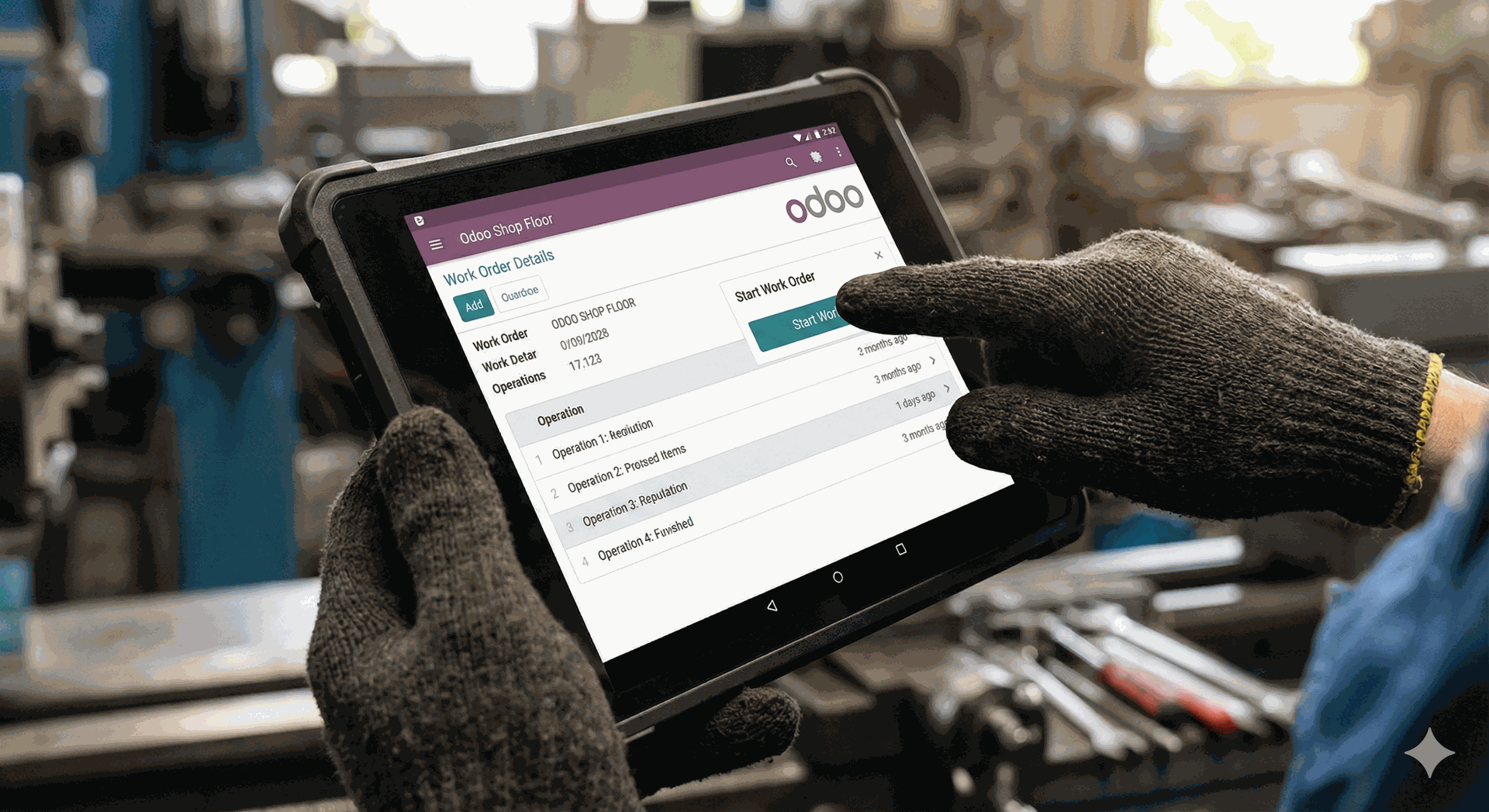
Shop Floor Control With tablets or touchscreens at every workstation, operators can view work instructions, track time, and report quality issues instantly. This eliminates paper travelers and ensures that everyone is working from the latest version of the Bill of Materials (BoM).
Case Study: Odoo Solution to Streamlined Inventory Management for Handloom Manufacturing
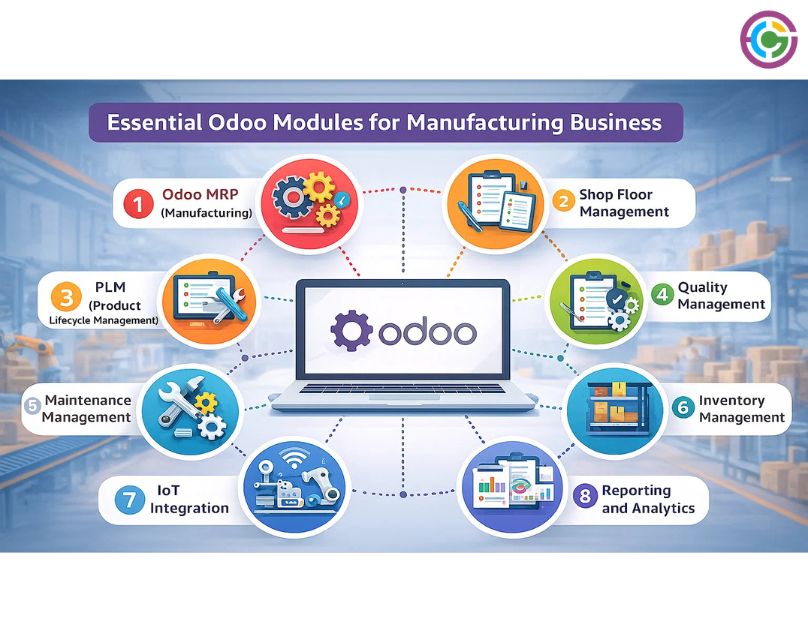
Essential Odoo Modules for Manufacturing Business
To truly leverage Odoo, you need to look beyond just the basic manufacturing app. A robust Odoo manufacturing solution relies on a cluster of interconnected modules:
1. Odoo MRP (Manufacturing)
This is the heart of the system. It handles your Bill of Materials (BoM), Work Centers, and Routings. It supports complex workflows like multi-level BoMs, kit assembly, and by-product management.
2. Shop Floor Management
The Shop Floor Management module in Odoo ERP provides real-time visibility into ongoing production activities. Managers can monitor work orders, track operator efficiency, and quickly identify bottlenecks on the shop floor. This real-time insight allows teams to make immediate adjustments and keep production running smoothly and on schedule.
The module supports quick operational actions such as:
Scrap – Used to move defective or damaged components to a scrap location, ensuring accurate inventory records.
Add Work Order – Allows users to add an additional work order directly to an existing Manufacturing Order (MO).
Add Component – Enables the addition of required components to an active Manufacturing Order without disruption.
Open Backend MO – Provides direct access to the Manufacturing Order in the backend Manufacturing app for detailed management.
3. PLM (Product Lifecycle Management)
Engineering changes happen. Maybe a component is obsolete, or a design is improved. Odoo PLM helps you manage these Engineering Change Orders (ECOs) efficiently, ensuring that the production floor never works with an outdated blueprint.
4. Quality Management
Quality checks shouldn't be an afterthought. With the Odoo Quality module, you can set up control points at various stages of receiving, production, and packing. If a check fails, alerts are triggered immediately.
5. Maintenance Management
Preventive maintenance is cheaper than repair. This module tracks equipment performance and schedules maintenance requests automatically, ensuring your machines don't fail when you need them most.
6. Inventory Management
Manufacturing cannot exist without Inventory. This module tracks lot numbers and serial numbers for full traceability essential for industries like food, pharma, or electronics.
7. IoT Integration
Odoo’s IoT module enables manufacturers to connect machines and smart devices directly to the ERP system. This allows real-time data collection and monitoring across the shop floor. With accurate machine data, businesses can implement predictive maintenance, reduce equipment downtime, improve decision-making, and enhance overall operational efficiency.
8. Reporting and Analytics
Odoo provides advanced reporting and analytics tools that deliver deep visibility into manufacturing operations. Managers can access detailed reports on production efficiency, inventory status, and quality performance. Key reports such as allocation reports, Overall Equipment Effectiveness (OEE), and production analysis help businesses make informed, data-driven decisions and continuously optimize their manufacturing processes.
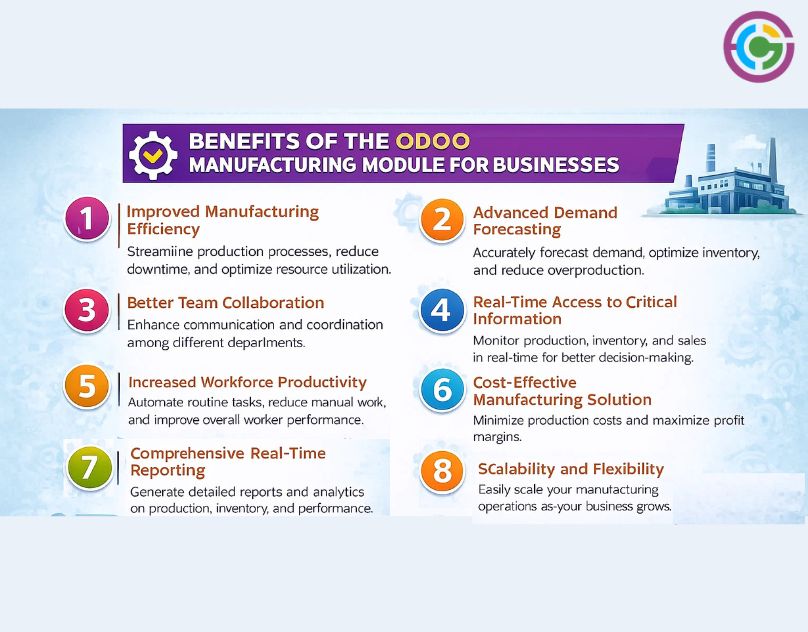
 Benefits of the Odoo Manufacturing Module for Businesses
1. Improved Manufacturing Efficiency
Odoo’s Manufacturing Module helps automate manual tasks, streamline workflows, and integrate multiple business processes into a single platform. With real-time visibility across operations, manufacturers can minimize downtime, reduce errors, and boost productivity, resulting in a smoother and more efficient production cycle.
2. Advanced Demand Forecasting
Using Odoo’s powerful analytics and reporting tools, manufacturers can forecast demand more accurately. This enables better planning for inventory levels, raw material availability, and production schedules. As a result, resources are utilized efficiently, waste is reduced, and on-time delivery performance improves.
3. Better Team Collaboration
Odoo’s fully integrated system connects procurement, production, inventory, and quality management teams on one platform. Centralized communication and shared access to data ensure everyone stays aligned, reducing miscommunication, operational delays, and costly errors.
4. Real-Time Access to Critical Information
Odoo provides real-time insights into production status, inventory levels, quality metrics, and operational performance. Managers can quickly identify issues, make faster decisions, and resolve bottlenecks before they disrupt the production flow, keeping operations running smoothly.
5. Increased Workforce Productivity
With modules such as Material Requirements Planning (MRP), Shop Floor Management, and IoT integration, Odoo automates time-consuming processes. This allows employees to focus on higher-value tasks, improves efficiency on the shop floor, and ensures production targets are met on time.
6. Cost-Effective Manufacturing Solution
Odoo optimizes resource utilization by reducing material waste, lowering labor costs, and preventing overstocking. Its modular pricing model ensures businesses pay only for the features they use, making it a highly cost-effective manufacturing ERP compared to traditional systems.
7. Comprehensive Real-Time Reporting
Odoo offers robust reporting and dashboard tools that provide deep insights into production efficiency, product quality, resource utilization, and financial performance. These reports help manufacturers identify improvement areas, optimize production strategies, and make data-driven business decisions.
8. Scalability and Flexibility
Odoo’s modular architecture allows businesses to scale seamlessly as they grow. New modules and advanced technologies, such as IoT and automatio,n can be added whenever required. This flexibility ensures continuous improvement and adaptability to changing business needs.
Read More: Enhance Your Real Estate Property Management with Odoo ERP
Challenges and Solutions: Implementing Odoo in Manufacturing
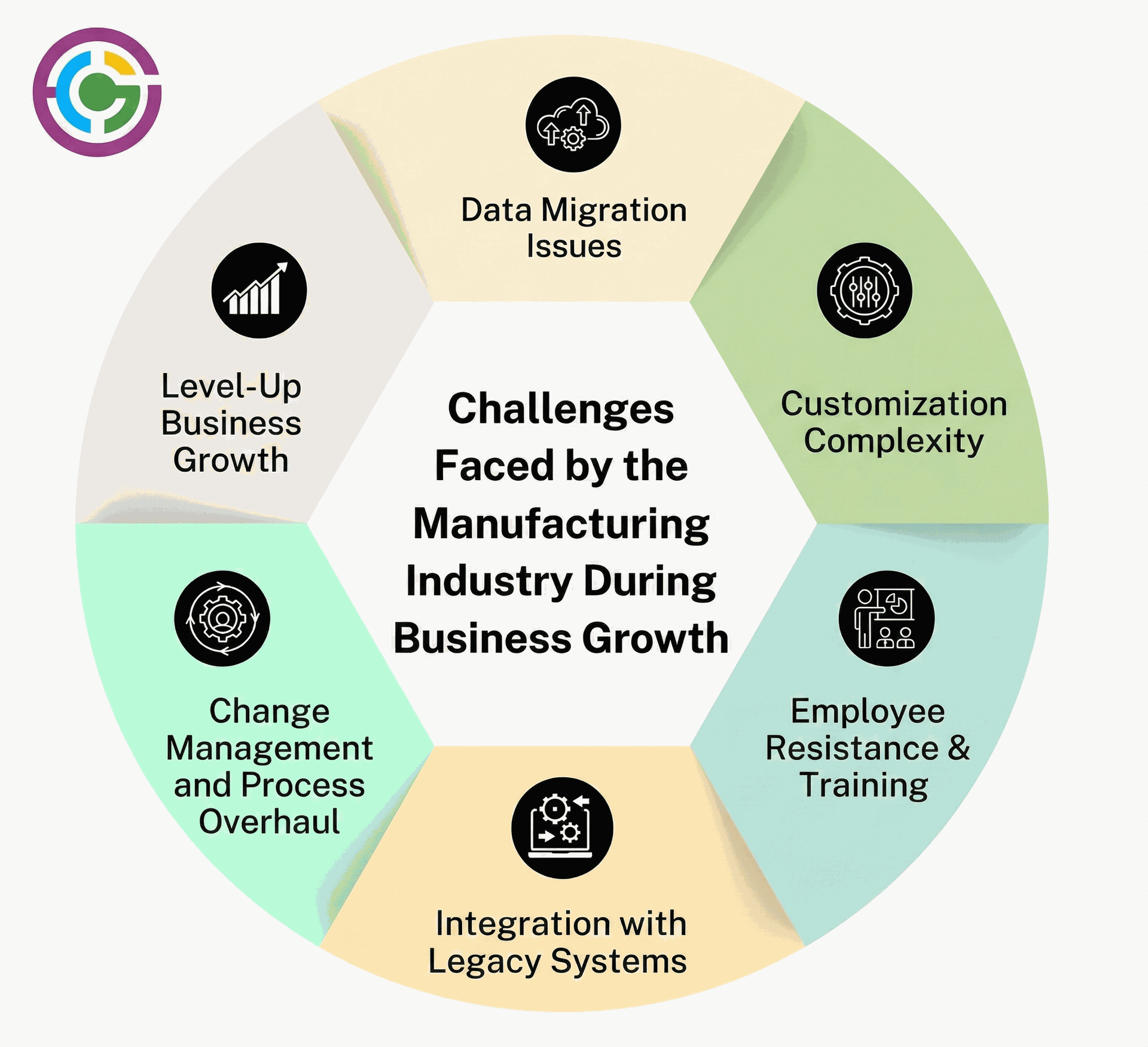
While Odoo is powerful, implementing it isn't always a walk in the park. Here are common challenges and how professional Odoo implementation services solve them.
1. Data Migration Issues
Imagine moving into a new house. If you pack up all the trash, broken furniture, and clutter from your old home and dump it into the new one, you haven't really upgraded your lifestyle; you've just moved the mess. Manufacturing data Bills of Materials (BoMs), routing steps, vendor lead times are often messy, duplicated, or outdated in legacy systems.
Treat migration as a spring cleaning opportunity. Before you move a single byte of data into Odoo, perform a Data Cleansing Audit.
- Standardize units: Ensure everyone is using the same metrics (e.g., sticking to 'liters' rather than mixing 'gallons' and 'liters').
- Archive the old: Don't migrate data for products you haven't made in five years.
- Validate BoMs: Ensure your recipes are accurate. If you input clean data, Odoo will give you clean, actionable insights.
2. Customization Complexity
Every manufacturer thinks their process is unique. And while your product is unique, your back-office processes usually aren't. A common trap is trying to rewrite Odoo’s code to force it to work exactly like your old, inefficient software. This leads to "spaghetti code," blown budgets, and a nightmare when it's time to upgrade.
Adopt a "Standard-First" Mindset. Odoo is built on best practices from thousands of companies. Instead of bending the software to fit your old habits, try adapting your workflow to Odoo’s standard features first. Customization should be the exception, reserved only for processes that give you a competitive edge, not just for "comfort."
3. Employee Resistance and Training
Your shop floor team might be used to paper travelers, whiteboards, and shouting across the hall. Asking a veteran machinist to suddenly start using a tablet to log work center times can feel invasive or overly complicated. If the team doesn't buy in, the system fails.
Stop selling "software" and start selling "sanity." Show your team how Odoo removes the headaches they hate like hunting for lost paperwork or manually calculating scrap.
- Identify Champions: Find the tech-savvy workers on the floor and train them first. They will become your internal influencers.
- Keep it Simple: Use role-based access. A machine operator doesn't need to see the accounting module; they just need a big, green "Start" button.
4. Integration with Legacy Systems
Modern factories don't operate in a vacuum. You likely have CAD software for design, PLCs on machines, or specialized shipping software. If Odoo stands alone as an island, your staff will end up double-entering data, which kills efficiency.
Odoo is designed to play nice with others. Leverage Odoo’s open API and the IoT Box.
- For Machines: The IoT box can connect directly to digital calipers, scales, and cameras to feed data straight into the system.
- For Software: Use standard connectors for CAD tools (like SolidWorks or AutoCAD) to push Engineering changes directly into the BoM. The goal is a "Single Source of Truth."
5. Change Management and Process Overhaul
Implementation often reveals that your current processes are actually broken. Fixing the software is easy; fixing human habits is hard. Attempting a "Big Bang" approach, switching everything on day one, can paralyze your operations if a bottleneck appears.
Don’t try to boil the ocean. Use a Phased Implementation.
- Phase 1: Supply Chain (Inventory, Purchasing). Get the materials flowing.
- Phase 2: Production (MRP, Work Orders). Get the manufacturing running.
- Phase 3: Advanced (Quality, PLM, Maintenance). Optimize the process. This allows your team to digest changes in bite-sized chunks, keeping morale high and stress low.
6. Level-Up For Business Growth
Many businesses implement an ERP for the company they are today, forgetting about the company they want to be tomorrow. A system that works for a single workshop might crumble when you expand to a second location or add a new product line.
Design for scalability from day one. Odoo’s modular nature is your secret weapon here. You might not need the Master Production Schedule (MPS) or Multi-Company features right now, but setting up your database structure correctly means you can simply "turn them on" when you grow. View this implementation not as a one-time IT project, but as building the foundation for the next decade of your business.
How is ERP Consulting 24 Odoo Consulting Services Suitable for the Manufacturing Industry?
At ERP Consulting 24, we understand that manufacturing isn't one-size-fits-all. A furniture maker has different needs than a chemical plant. That is why our Odoo consulting services are tailored specifically to your production reality.
Industry-Specific Expertise We don't just know code; we know manufacturing. We understand terms like "Work in Progress" (WIP), "OEE" (Overall Equipment Effectiveness), and "Just-in-Time" delivery. We configure Odoo to speak your language.
End-to-End Support From the initial discovery phase to the final go-live and post-implementation support, we are with you. We help map your unique workflows into Odoo, ensuring that the software adapts to your business, not the other way around.
Custom Development Sometimes, you have a unique process that standard Odoo can't handle. Our developers can build custom modules or integrations, like connecting Odoo to your IoT sensors or specialized shipping software.
Conclusion
Digital transformation is no longer optional; it is a survival requirement. Odoo offers a flexible, scalable, and cost-effective way to modernize your manufacturing operations. By integrating your inventory, production, and maintenance into one platform, you gain the control and visibility needed to grow.
However, a tool is only as good as the hands that wield it. Partnering with experts like ERP Consulting 24 ensures that your Odoo implementation is smooth, strategic, and successful.
Ready to optimize your production line? Contact us today to discuss how our Odoo manufacturing solution can drive efficiency in your business.
FAQ
1. Is Odoo suitable for small manufacturing businesses?
Absolutely. Odoo is modular, meaning you can start with just the basic MRP and Inventory apps and add more advanced features like PLM or Quality as you grow. This makes it very cost-effective for small businesses.
2. Can Odoo handle complex Bill of Materials (BoM)?
Yes, Odoo MRP supports multi-level BoMs, phantom BoMs (kits), and optional components for configurable products.
3. Does Odoo integrate with CAD software?
Odoo has standard PLM features, and while it doesn't replace CAD, it can be integrated with various CAD tools to import BoMs and engineering documents directly.
4. How long does an Odoo implementation take for manufacturing?
It varies by complexity. A simple implementation might take 2-3 months, while a complex setup with heavy customization and data migration can take 6 months or more. Professional Odoo implementation services can give you a precise timeline.
5. Is Odoo cloud-based or on-premise?
Both options are available. You can host Odoo on the cloud (SaaS) for ease of access and lower IT maintenance, or on-premise if you require strict data control and local server access.
6. Can Odoo help with traceability?
Yes, Odoo offers full upstream and downstream traceability. You can track a finished product back to the specific batch of raw materials used, which is critical for recalls and quality audits.

 Recent Posts




 Free Consultation